SecureVault app
Passwords, 2FA codes and notes on your own server, on every device you own.
0kr
Free.
- Linux, Windows, macOS and Android
- Built-in authenticator for 2FA codes
- Import from Chrome, Bitwarden and Aegis
 SecureVault
Your passwords don't belong on someone else's server, least of all now that AI agents use them. SecureVault keeps them on yours.
249 kr once for the first 100 buyers, then 349 kr.349 kr once. The vault app is free.
A silent 29 second film. An agent stops at a sign-in page and approval prompts pile up. At 07:58 the person unlocks SecureVault once. Through the day four sign-ins land in the agent's terminal, each answered "filled": password, 2FA code, SMS code and e-mailed code. The vault sits on the person's own hardware, not in somebody else's cloud.
The agent hears one word back: filled.
SecureVault plugs into Claude Code and other MCP clients. When an agent reaches a sign-in, it asks the vault, and the vault types the username, password and code straight into the page. The secret never enters the agent's context or transcript.
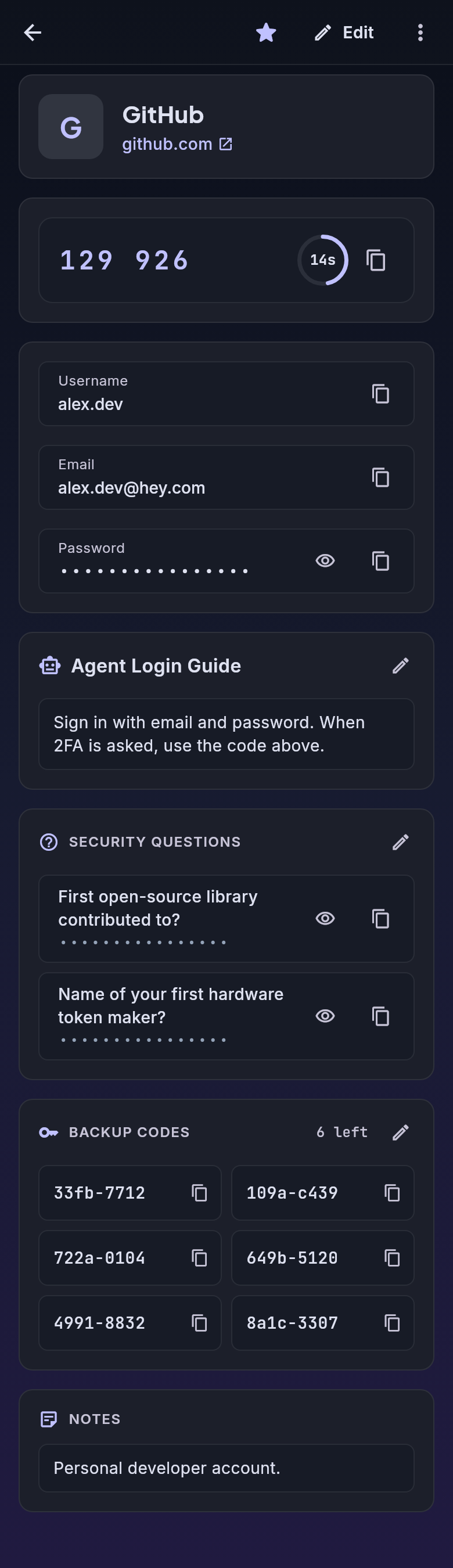
Type your master password once. Unless you set it otherwise, every agent session shares that unlock until midnight.
With that default the key stays in memory only, in one background process on your computer, and is dropped at midnight. The unlock and every question come up in the SecureVault app itself, never in a window of their own.
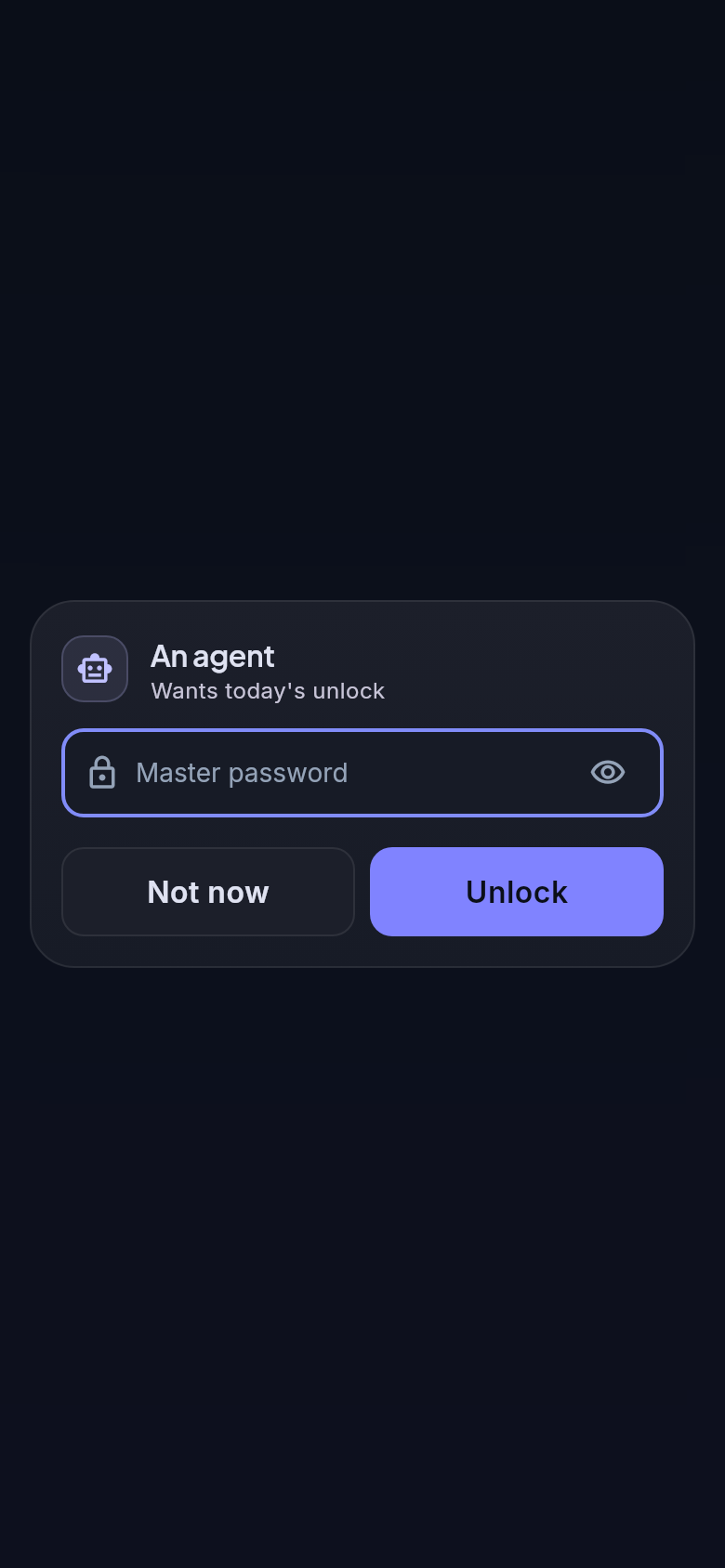
New in 1.1
The open limit sets how long one master password entry keeps the vault open for your agents.
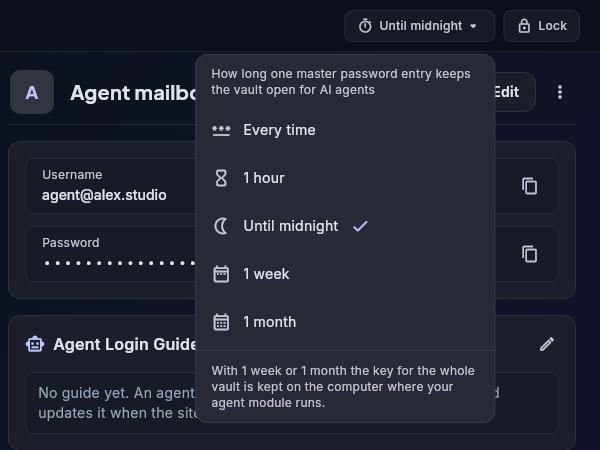
A folder can have a rule of its own: every time for the bank, once a week for work, never ask for the entries you tick.
With a week, a month or a never-ask folder, the key for the whole vault is kept in a file on the computer where your agent module runs. The app says so when you pick it.
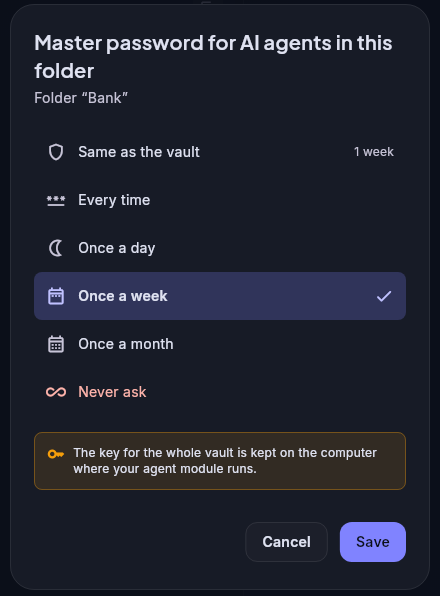
Every entry has one setting: AI agents.
Every use shows a notification and writes a line in the audit log.
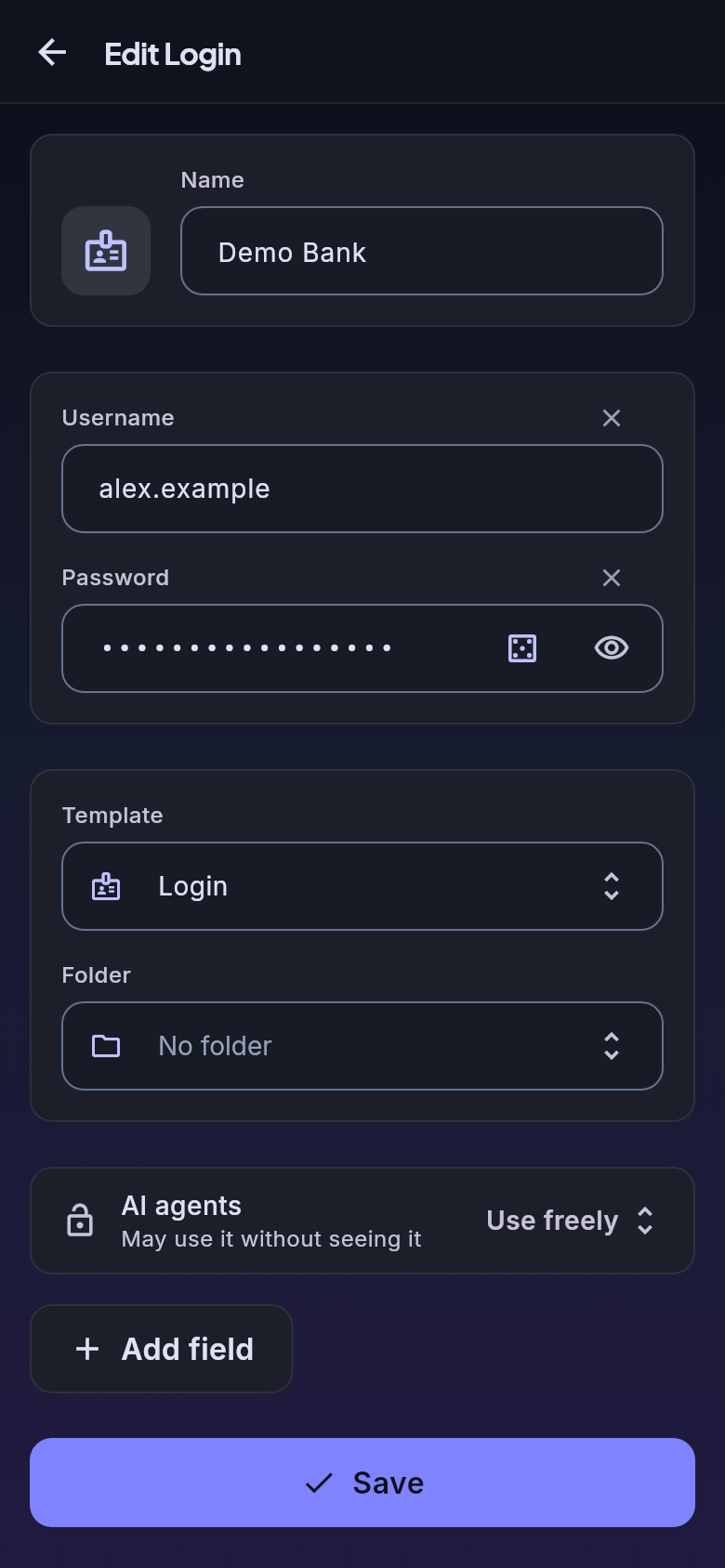
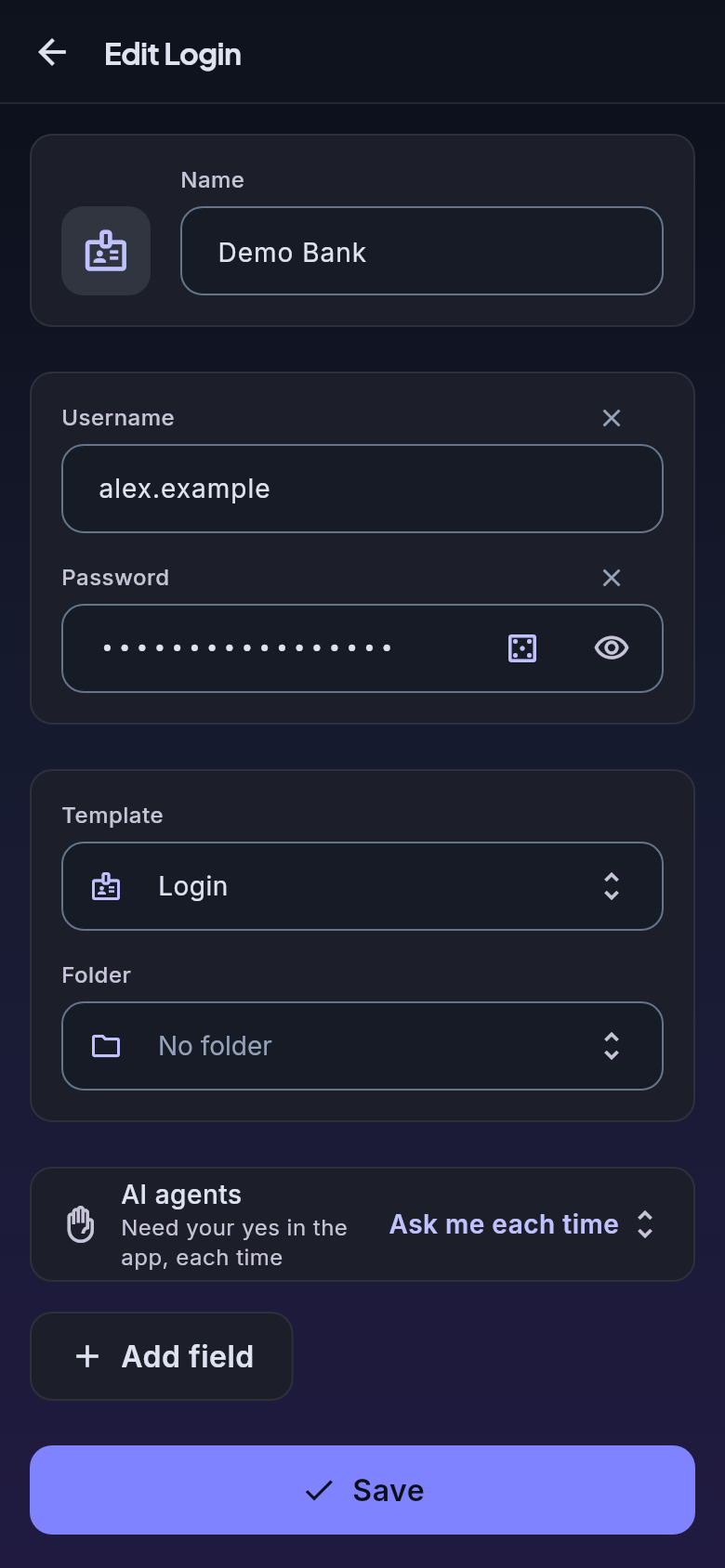
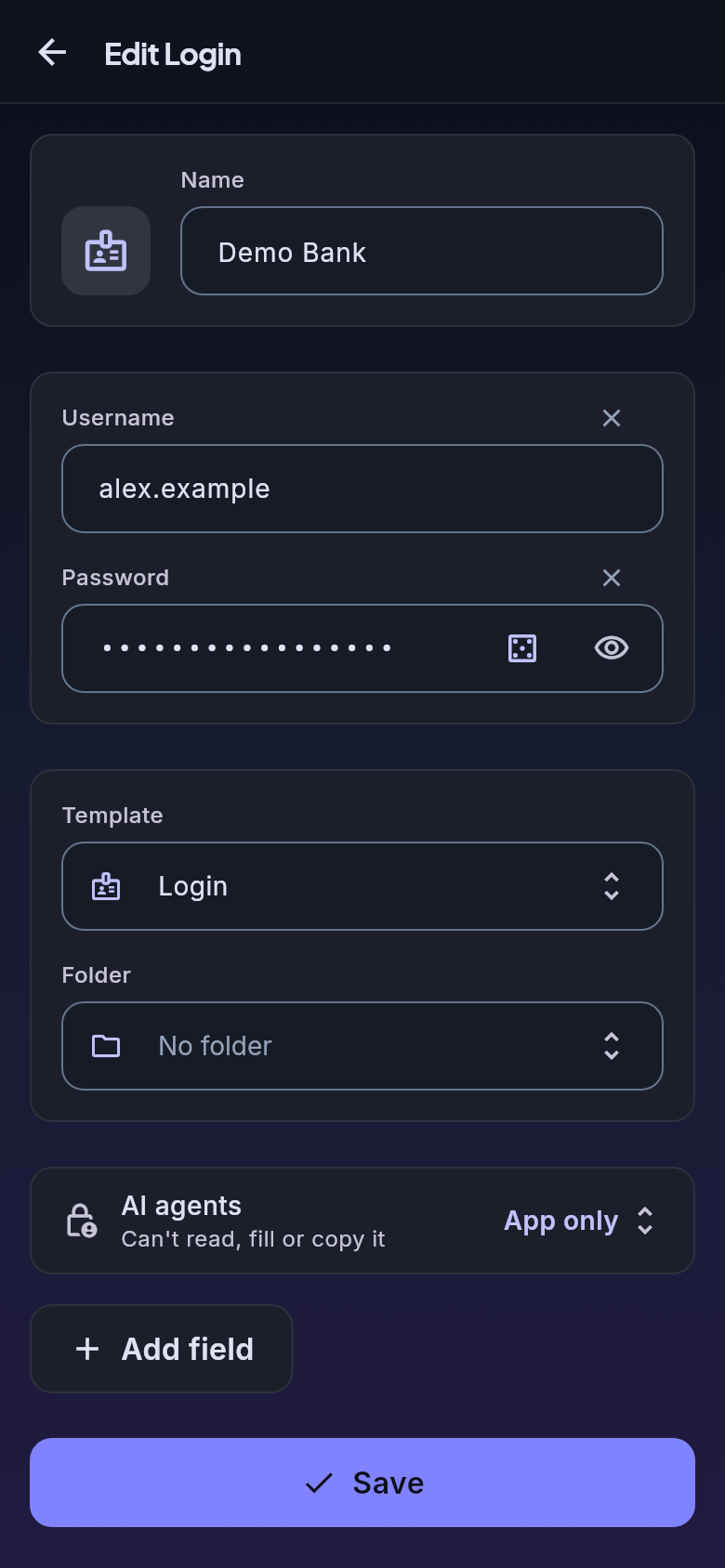
A cloud vault is one famous address holding millions of passwords. Yours is a small database on a machine you own, listed nowhere.
You host the server yourself, on a Raspberry Pi, a home server or an always-on PC. Your AI agent can set it up. Give it one line:
Read https://vault.littlehelpers.se/agent-setup.md and set up my SecureVault server by following it.
What it does, what it asks and what you still do yourself
The vault app runs on Linux, Windows, macOS and Android.
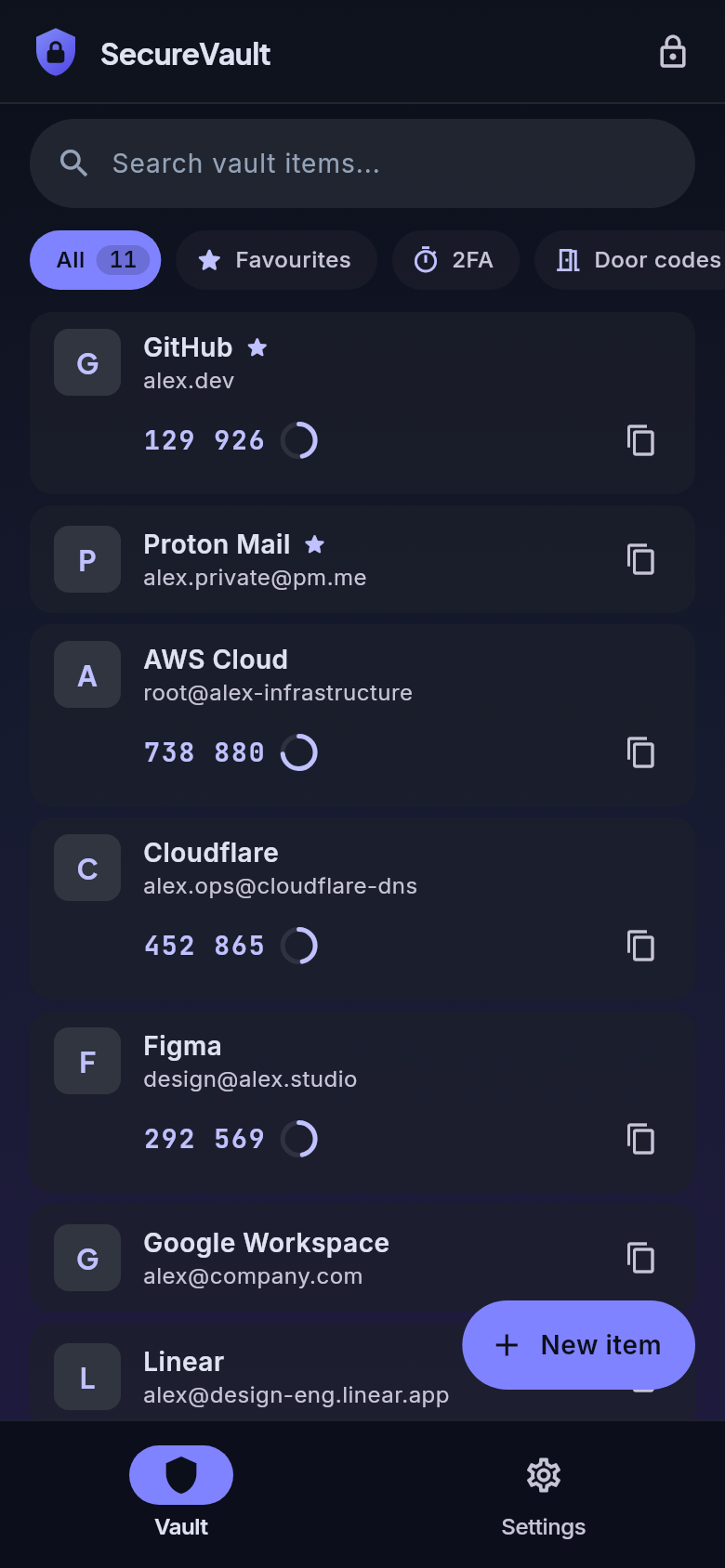
Passwords, 2FA codes and notes on your own server, on every device you own.
0kr
Free.
Lets your AI agents sign in through the vault, without seeing a secret.
249krregular price 349 kr
Founding price for the first 100 licences, then 349 kr.One-time payment. Incl. 25 % VAT.
Free. Version 1.1.1
SHA-256 398564dcf6cdda5c43b97507a55ceee29b39043483f34445048713b2e83afb8d
Download Linux (x64)SHA-256 0331e28cf7d1c6fb14df1b55ab947228b80ea166306ef60cc993dbaabb2bbc70
Download Windows (x64)SHA-256 b9d79c1a2cb19eb7044dd1ef267dfaed7b41a985eee43d6d665e28e5048f0379
Download Android (arm64)SHA-256 cb189c53846757d26ef437ac95c28351391be30c50a55af7ce5fd266e8cb5988
Download macOS (universal)The agent module runs on Linux, with the Agent licence. After buying you get your own download page for it. First time? Set up your server, the app and the agent, or let your agent set up the server.
No tool returns a secret. The vault types the value into the page, or puts it on the clipboard for 30 seconds, and tells the agent "filled" or "copied". One limit is stated plainly: an agent that controls the same browser could read a filled field back from the page. So keep the vault behind your agent's permission prompt. More on the security page.
Yes. The vault is one MariaDB database on a machine you run, on your home network or over Tailscale, never open to the internet. There is no SecureVault cloud. Your AI agent can set it up from one page, or you follow the manual yourself.
Claude Code and other MCP clients. The agent module is an MCP server that runs on your Linux computer, next to the SecureVault app.
For a code sent by e-mail, the vault reads it from your Gmail inbox, signed in in the agents' browser. For a code sent by SMS, it reads the newest matching text message on your Android phone (over SSH, with Termux). Then it types the code into the page.
Passwords, 2FA secrets, notes, security questions, backup codes, door codes and login guides are encrypted with AES-256-GCM, with a key derived from your master password (PBKDF2-SHA256). Account names, usernames, e-mail addresses, websites and folders are stored in plain text.
Once a day, unless you set it otherwise. Signing in to the app unlocks the vault for your agents until midnight; then the key is dropped from memory and the next agent sign-in asks again in the app. In the app you can set the open limit to every time, 1 hour, 1 week or 1 month, and give a folder a rule of its own. With a week, a month or a never-ask folder, the key for the whole vault is also kept in a file on the computer where the agent module runs, until the rule has run out. The agent module's lock tool (vault_lock) locks the vault for agents at any moment and removes that file.
One person, on all their own devices, paid once. You can ask for a refund within 30 days. Founding buyers also get every future major version. See the terms and the refund policy.